Hugging Face · edge AI · embedded systems · language models
How Hugging Face Models Power Mini Social Robots
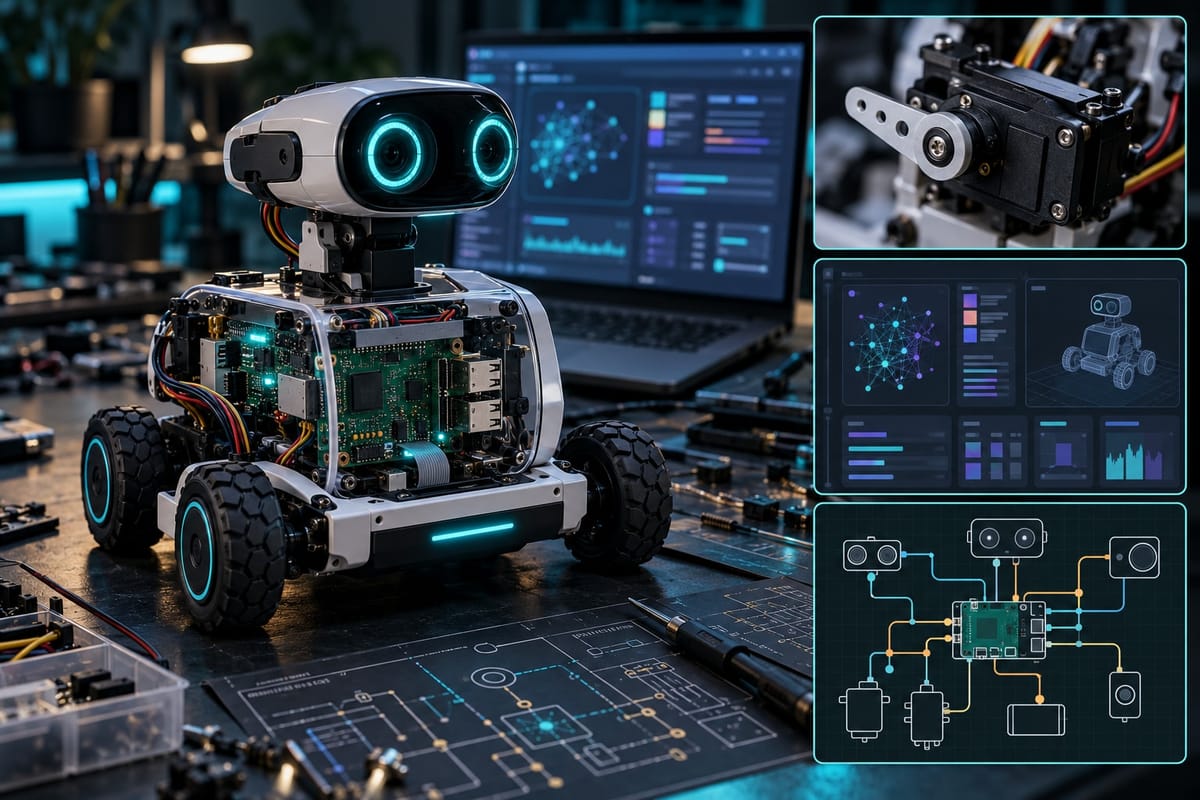
A mini social robot sitting on your desk can hold a conversation, respond to gestures, and adapt its behavior—all without sending a single byte to the cloud. The trick lies in running compressed language models directly on the robot's embedded processor, a capability made practical by the open model ecosystem at Hugging Face and steady improvements in ARM-based hardware.
Why Local Inference Matters for Social Robots
Cloud-based inference introduces latency, dependency on stable internet, and privacy concerns when robots operate in homes or offices. A typical round-trip to a remote API takes 200–500 milliseconds under ideal conditions; network hiccups push that to several seconds. For a robot expected to react naturally in conversation, that delay breaks the illusion of presence. Running models on-device cuts response time to under 100 milliseconds and keeps sensitive audio local.
Selecting the Right Model Architecture
Not every language model fits in 2 GB of RAM. Hugging Face hosts thousands of pre-trained models; the ones practical for mini robots share a few traits: small parameter counts (typically 100M to 1B), efficient architectures like DistilBERT or MobileBERT, and compatibility with quantization. Models in the 300M–500M range strike a good balance between conversational coherence and memory footprint.
For dialog tasks, look at models fine-tuned on conversational datasets—DialoGPT variants, FLAN-T5 small, or domain-specific fine-tunes. For intent recognition and command parsing, sentence transformers and compact BERT variants excel. The Hugging Face model hub tags each repository with memory requirements and inference benchmarks, making it easier to filter by hardware constraints.
Quantization and Model Compression
A 500M-parameter model stored in 32-bit floating point consumes roughly 2 GB. Quantizing weights to 8-bit integers cuts that to 500 MB with minimal accuracy loss; 4-bit quantization can push it below 250 MB, though at the cost of slightly degraded output quality. Tools like ONNX Runtime and llama.cpp (despite the name, it supports many architectures) automate quantization and provide optimized inference engines for ARM CPUs.
Hugging Face's Optimum library simplifies exporting models to ONNX and applying quantization profiles. A typical workflow: load a pre-trained model in PyTorch, export it via Optimum with INT8 quantization enabled, and benchmark it on the target board. If latency remains too high, switch to a smaller base model or apply distillation before quantization.
Hardware: ARM Boards and Accelerators
Most mini social robots run on ARM Cortex-A series processors—common choices include the Raspberry Pi 4 (quad-core A72, 4–8 GB RAM), NVIDIA Jetson Nano (quad-core A57 plus 128-core Maxwell GPU), and newer options like the Raspberry Pi 5 or Orange Pi with Rockchip SoCs. The Jetson Nano's GPU gives it an edge for vision tasks covered elsewhere, but its CPU is older; the Pi 5's Cortex-A76 cores handle quantized language models more efficiently.
Dedicated AI accelerators—Google Coral Edge TPU, Hailo-8—can slash inference time, but they require models compiled to their specific formats (TensorFlow Lite for Coral, ONNX or native toolchains for Hailo). This adds a build step and limits flexibility. For prototyping, start with CPU inference; add an accelerator only if profiling shows the model is the bottleneck.
Deployment Pipeline
- Select and download a candidate model from Hugging Face using the `transformers` library or direct Git LFS clone.
- Benchmark on desktop hardware to establish baseline latency and output quality; adjust tokenizer settings and generation parameters (temperature, top-k) for interactive behavior.
- Export and quantize using Optimum or ONNX tools; test again to measure the accuracy–speed tradeoff.
- Cross-compile dependencies for ARM (if using a Pi, `pip install` often works directly; for custom boards, use `crossenv` or Docker buildx).
- Deploy the quantized model and inference runtime to the robot's filesystem; wrap it in a lightweight server (Flask, FastAPI, or raw sockets) that accepts text input and returns generated responses.
- Integrate with the robot's main control loop—typically a ROS 2 node, a Python event loop, or embedded C++ dispatcher—so sensor input (speech-to-text output, button presses) triggers inference and the result drives actuators or speech synthesis.
Managing Inference Latency
Even a quantized 300M-parameter model can take 500–1500 milliseconds per inference pass on a Raspberry Pi 4. To keep interactions fluid, mini robots employ several strategies: speculative decoding (generate multiple tokens in parallel and select the best), caching key-value states from the attention mechanism between turns, and prefix caching for system prompts or personality preambles that stay constant.
Another approach: run a tiny intent classifier (a 20M-parameter DistilBERT) first to route simple commands ("turn left," "what time is it") to rule-based handlers, reserving the larger generative model for open-ended dialog. This two-tier architecture reduces average latency and power draw.
Real-World Constraints and Tradeoffs
Thermal throttling becomes an issue during sustained inference; a Raspberry Pi 4 in a compact robot chassis will throttle the CPU from 1.8 GHz to 1.2 GHz after a few minutes of continuous load. Active cooling (a small fan) or periodic sleep intervals help. Battery life also suffers—running inference at full speed can drain a typical 5000 mAh battery in two to three hours. Optimizing the duty cycle (wake on voice activity detection, sleep between interactions) extends runtime significantly.
Memory is often the hard limit. A 2 GB board can run one 300M quantized model alongside basic system processes, but adding speech recognition (Whisper tiny), text-to-speech (Piper or Coqui), and vision inference quickly exhausts RAM. Swapping to SD card is prohibitively slow; the solution is either upgrading to a 4 GB+ board or time-slicing: load the vision model, run detection, unload it, load the language model, generate a response.
Practical Example: Dialog on a Raspberry Pi 5
A working setup: a Pi 5 (8 GB) runs a quantized FLAN-T5 small (80M parameters, INT8, ~80 MB on disk). The inference engine is ONNX Runtime compiled with ARM NEON intrinsics. A Python service listens on a Unix socket; when the robot's microphone array detects a wake word (handled by a separate Porcupine instance), audio is transcribed locally via Whisper tiny (39M parameters, also quantized), the resulting text is sent to the FLAN-T5 service, and the response is synthesized by Piper (a lightweight neural TTS). End-to-end latency from speech to speech: approximately 1.2 seconds, split roughly evenly among STT, LLM, and TTS.
The robot stores conversation history (last four turns) in a ring buffer and prepends it to each inference call, giving the model short-term context. Longer-term memory (user preferences, prior topics) is handled by a simple SQLite database indexed by sentence embeddings; relevant facts are retrieved and injected into the prompt as needed.
Looking Ahead: Emerging Models and Tools
The gap between cloud-scale and edge-scale models continues to narrow. Architectures like Mamba (structured state-space models) promise better efficiency than Transformers for long sequences. MobileLLM and Phi-3 mini demonstrate that careful training on high-quality data yields strong performance even at 1B parameters. Hugging Face's llama.cpp integration and the rise of MLX (Apple's framework, now ported to Linux ARM) make it easier to experiment without deep compiler knowledge.
As these models mature, expect mini social robots to handle richer dialog, remember more context, and blend language, vision, and motion planning in a single on-device pipeline—all without relying on a network link.
Sources
- Hugging Face Model Hub — Hugging Face
- ONNX Runtime — Microsoft